Introduction
Building your own website has never been easier. With drag-and-drop tools, free templates, and cheap hosting plans, many small business owners in India try to go the DIY route. It feels cost-effective, quick, and empowering—until they realize that their website isn’t bringing in any customers.
A poorly built website can hurt more than it helps. It can confuse visitors, look unprofessional, or load so slowly that customers give up and go to a competitor. That’s why it’s important to understand the most common DIY website mistakes—and how to avoid them.
In this article, we’ll explore why DIY mistakes can cost your business sales, trust, and credibility, and how you can build a website that works for you, not against you.
Why Your Website Matters More Than Ever
Your website is no longer optional—it’s your digital shopfront, open 24/7. Whether you run a salon in Pune, a small bakery in Delhi, or a consultancy in Bengaluru, people will often visit your website before they decide to call you, visit you, or buy from you.
A strong website helps you:
- Build trust with new customers.
- Showcase your products or services clearly.
- Rank on Google and attract organic traffic.
- Generate leads or online sales.
- Support your social media and LocalShouts (https://www.localshouts.com) marketing efforts.
But if your website is full of mistakes, it can have the opposite effect—pushing potential customers away.
The Hidden Cost of DIY Website Mistakes
Many business owners choose DIY because it feels cheaper. But the cost of lost opportunities can be far higher than the cost of getting help from a professional.
Here’s what DIY mistakes can cost you:
- Lost Leads: Visitors leave when they can’t find what they need.
- Lower SEO Rankings: Bad structure or slow speed pushes you down on Google.
- Damaged Brand Image: A clumsy design makes your business look less professional.
- Frustrated Customers: If your contact form or booking button doesn’t work, you lose business.
- Wasted Marketing Spend: If you run ads to a broken site, you lose money instead of making sales.
Top DIY Website Mistakes Small Businesses Make
1. Slow Loading Speeds
Uploading large, uncompressed images or using cheap hosting can make your website painfully slow. Remember, most customers in India browse on mobile, where speed matters even more.
2. Poor Design Choices
Bright, clashing colors, too many fonts, or a cluttered layout can make your site look unprofessional.
3. No Clear Call-to-Action (CTA)
Visitors should know exactly what to do next—call you, book an appointment, or buy a product. Without a clear CTA, they simply leave.
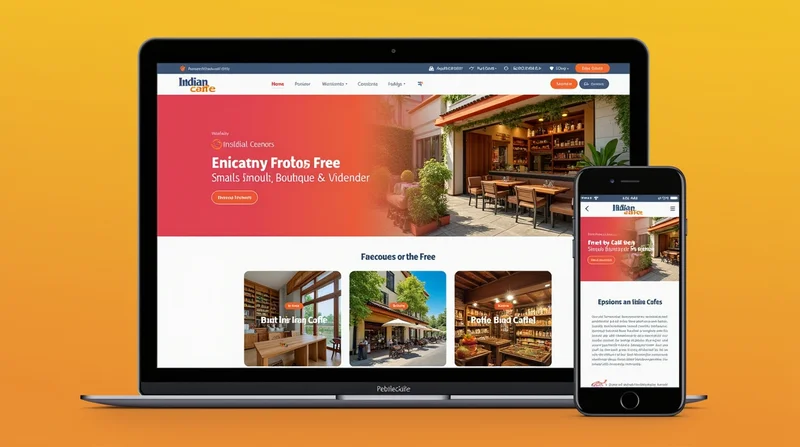
4. Lack of Mobile Optimization
If your website doesn’t work on mobile screens, you are losing more than half of your potential visitors.
5. Broken Links and Features
Contact forms, maps, and buttons that don’t work create frustration and make your business look unreliable.
6. Ignoring SEO
Many DIY websites don’t include basic SEO settings like page titles, meta descriptions, and location-based keywords.
7. No Analytics
Without tracking tools like Google Analytics, you won’t know how many people are visiting your site or what pages they like most.
8. Too Much DIY Content
Business owners sometimes write long, confusing text that focuses on them instead of the customer’s needs.
How These Mistakes Impact Your Business
Each of these mistakes has a real-world consequence.
- Slow Sites: Visitors leave within seconds, increasing your bounce rate.
- Cluttered Design: Makes it hard for customers to find what they need.
- No SEO: Your competitors rank higher on Google and get your potential customers.
- No CTA: People may like what you offer but don’t know how to reach you.
- No Mobile Version: More than 60% of internet traffic in India is mobile—ignore this, and you lose most of your audience.
How to Avoid DIY Website Mistakes
You don’t need a big budget to get it right. Here’s how small businesses can fix these issues:
1. Use a Reliable Platform
Choose a well-supported platform like WordPress, Wix, or Shopify (for e-commerce).
2. Keep Design Simple and Clean
Choose one or two fonts, stick to your brand colors, and avoid too many animations.
3. Optimize Images
Use tools like TinyPNG to compress images before uploading.
4. Add Clear CTAs
Place a “Book Now,” “Call Us,” or “Shop Now” button on every page.
5. Test on Mobile
Always check how your site looks and works on a smartphone.
6. Learn Basic SEO
Include your city name, write good meta titles, and add alt text to images.
7. Set Up Analytics
Google Analytics and Search Console are free tools that give you powerful insights.
8. Get Feedback
Ask friends or customers to test your site and tell you if anything feels confusing.
The Role of Professionals
Sometimes, doing everything yourself isn’t the smartest move. Hiring a professional web designer or digital marketer can save you time and headaches and deliver a site that actually works.
Even if you build the site yourself, you can hire someone to audit it and make technical improvements. This hybrid approach is often cost-effective for small businesses.
Platforms like LocalShouts (https://www.localshouts.com) can also support you by connecting your business with local customers. Once your website is polished, listing it on LocalShouts ensures the right people find it when they search for services near them.
Long-Term Benefits of a Well-Built Website
When you avoid DIY mistakes, you get:
- More Leads and Sales: Because your site is easy to use and fast.
- Better Search Rankings: Thanks to optimized content and structure.
- Professional Brand Image: Customers trust you more.
- Higher ROI on Ads: Your marketing spend pays off because your site converts better.
Conclusion
DIY websites can seem like a quick solution, but common mistakes can cost you customers, sales, and credibility. A slow, confusing, or broken website can drive people away before they even get to know what you offer.
Take the time to build a clean, fast, and customer-focused site. Learn the basics of SEO, add clear calls to action, and test your site regularly. Combine that with a strong local presence through LocalShouts (https://www.localshouts.com), and you’ll have a powerful online strategy that drives real results.
Your website is your business’s digital shopfront—make sure it’s open, fast, and welcoming.
FAQs
1. Are DIY websites bad for small businesses?
Not necessarily. DIY can work if done carefully, but most owners make basic mistakes that hurt performance.
2. What is the biggest DIY website mistake?
Ignoring mobile optimization. With most visitors coming from mobile devices, a desktop-only site can cost you business.
3. Can I fix my DIY website without starting over?
Yes. You can hire a professional to audit and improve speed, SEO, and design without rebuilding from scratch.
4. How much does a professional website cost?
It varies, but you can get a simple, effective small business website for ₹15,000–₹40,000 in India.
5. Will my website rank on Google if I use a free template?
It can, but only if you optimize content, speed, and SEO settings. The template alone isn’t enough.
6. How can LocalShouts help my business website?
LocalShouts drives targeted traffic from local searches to your website, helping you get more customers nearby.